This is a demonstration.
The venue, programme, admission and access information are fictional sample content. No real exhibition, opening schedule, ticket, booking or visitor service is offered. This address is a template preview, with no purchase or checkout.
All six visitor pages and their illustrations are the Cabinet Walk 1.0.8 demonstration files. Its selection stays in page memory. Reloading or navigating away can reset it.
Choose studies for a visit card
Read and explore.
The collection groups studies into planes, solids and curves. Open an entry to see its image, complete description and looking prompt. Filtering changes what is visible while keeping any chosen studies.
The practical page demonstrates the kinds of venue and access details an exhibition website can provide. Real organisers must replace those examples with verified information.
Keep a small selection.
Choose up to four studies in the collection, in any order. The print card includes an image, short introduction and looking prompt for each one. A selected study can be removed from its card or from the list.
The card is a reading aid. It does not reserve admission or define a timed physical route. The browser controls printing; edited content and print settings need their own preview.
Two local text editors.
The full template kit includes two optional browser editors, along with its six-page HTML/CSS/JavaScript site, Python generator, original Blender artwork source and English HTML guide that prints as seven A4 pages with the supplied settings. These are authoring files used on your own computer, not an online editing service.
Collection wording
The collection editor changes seven text fields for each of the six supplied studies: title, introduction, detail text, looking prompt, image description, medium and year/period. It imports supported JSON and downloads an updated file. IDs, image filenames, form families and order stay fixed.
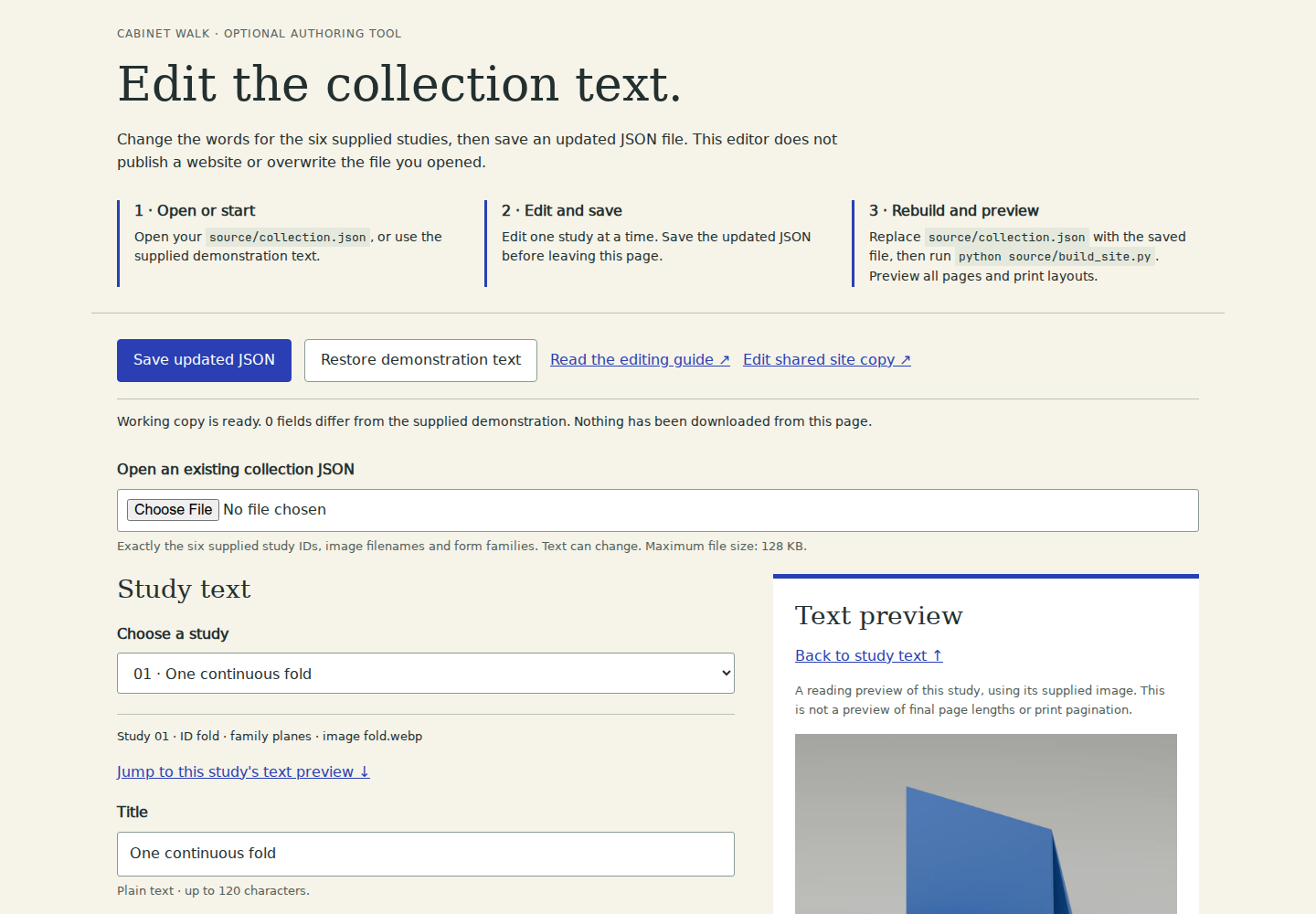 Actual 1.0.8 collection-editor viewport. This is a static screenshot; the working editor is in the complete template kit.
Shared exhibition and practical copy
The shared editor changes 17 text fields: site name/subtitle, page description, footer line, three home-heading parts and introduction, exhibition title/summary/dates, opening hours, admission, public location label and three access-information paragraphs. Two separate options control fictional demonstration labels and search indexing metadata.
Its reading preview shows text, not final page geometry. Switching off demonstration labels removes the supplied fictional programme entries and visitor-guide links; it does not create a real programme or verify venue information. Turning on indexing changes metadata, without publishing the website or promising search traffic.
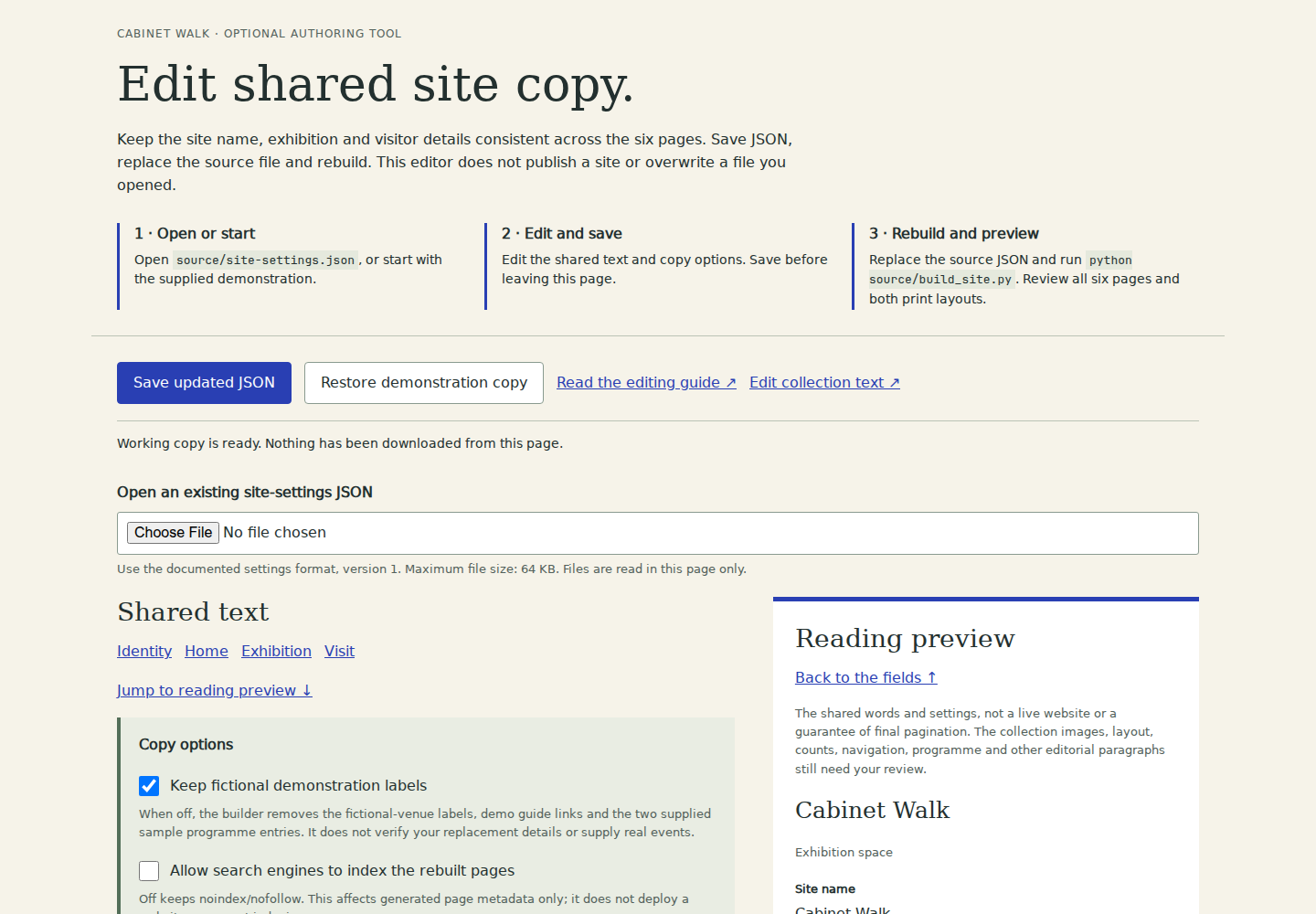 Actual 1.0.8 shared-copy-editor viewport. This is a static screenshot, not an interactive editor or a hosted saving service.
Download, replace, rebuild and preview
Each editor downloads a JSON file. The author keeps that download, backs up and replaces the corresponding source file, runs the optional Python rebuild, then previews all six pages and both print layouts. A download alone does not change the website. Undownloaded edits stay only in the open editor page; there is no automatic save or publishing service.
Basic HTML/CSS knowledge is still needed. Other editorial and structural changes use the source directly; this is a six-study template, not an unrestricted content-management system. The complete buyer guide explains the separate source files and the remaining editing work.
Original work and separate font terms.
The text, design, code and procedural illustrations were created with OpenAI Codex for Swale & Sign. These are original digital studies, with no real artist attribution or endorsement.
The preview uses local DejaVu Sans, Sans Bold and Serif files. Their complete separate font conditions remain available. No enquiry form, personal-data field, analytics code or remote runtime service is included in this preview.